System Requirements
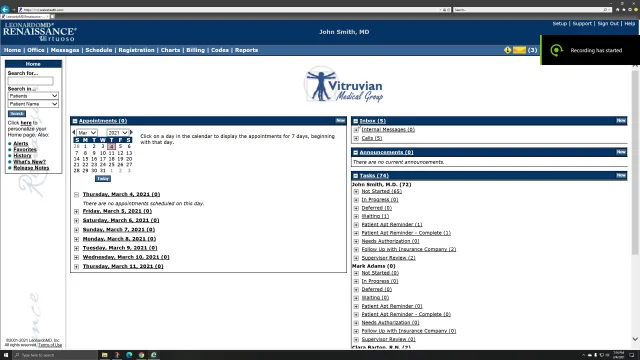
Because our products are true Internet applications, all you need is Microsoft Internet Explorer (version 6.0 or higher) and a connection to the Internet. To get the full benefit from our products, we also suggest a number of other complementary applications, a scanner, and printer.
High Speed Internet Connection
- DSL, cable modem, T1 line, or equivalent through Internet Service Provider of your choice.
- Bandwidth requirements vary based upon the number of users, amount of activity, and size and volume of file attachments used by your practice.
- A high speed connection is required from all locations from which you plan to access the product. To verify your current speed, go to: http://www.speakeasy.net/speedtest/ and click the button on the left side of the page of the city closest to your location. The test will start automatically.
Computer
- Desktop or notebook computer running Windows Vista (recommended), Windows XP, or Windows 2000.
- Pentium III or higher CPU (or equivalent from other than Intel)
- Internet connectivity, whether through cable or DSL modem, or network card.
- The video display must support at least a resolution of 800 by 600 pixels. LeonardoMD applications are optimized for a resolution of 1024 by 768 pixels (recommended).
- A sound card and speakers are required to hear the audio on our multimedia training presentations and content.
Software
- Microsoft Internet Explorer (version 6.0 or higher) with 128-bit encryption(available at no charge). To upgrade your browser, go to http://www.microsoft.com/windows/ie/default.asp.
- An email account is required for communication with the LeonardoMD applications. If you don't have an email account, we recommend a free one from MSN Hotmail. Go to http://www.hotmail.com.
- Adobe Acrobat Reader (available at no charge) is required to view PDF files which are used for printing by LeonardoMD applications. To install from Adobe, go to http://www.adobe.com/products/acrobat/readstep2.html.
- Microsoft Office 2003, XP, or 2000 is recommended for creation of documents that your practice can then share and utilize in the LeonardoMD applications (not required).
Printing
- A current model laser printer is recommended for printing of reports and CMS-1500 forms.
Scanning (optional)
- A scanner with automatic document feeder is recommended for creating electronic versions of paper documents, such as insurance cards. A recommended line of document scanners available from Fujitsu are the
fj-5200 series.
Local Area Network (optional)
- While not required by LeonardoMD Renaissance, a LAN can be deployed to provide file and print sharing as well as Internet access to multiple computers in the same location.
- Typically a router, hub, firewall and server are deployed. Additional computers are then added with a network card and cabling back to the hub.
To learn more, take a Quick Tour or Contact Us.